
Home > Other contents > Installing Multiple MT5 Platforms on One PC
If you want to install two or more MT5 of the same broker on one PC, data folders will be overwritten unless you follow this procedure.
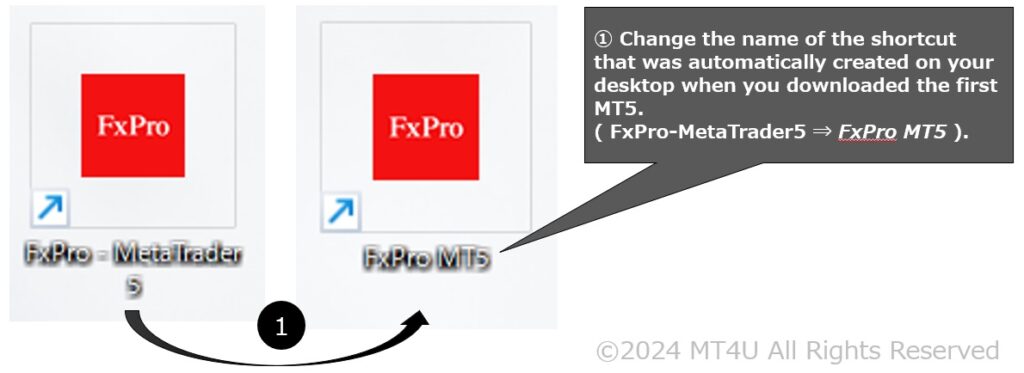
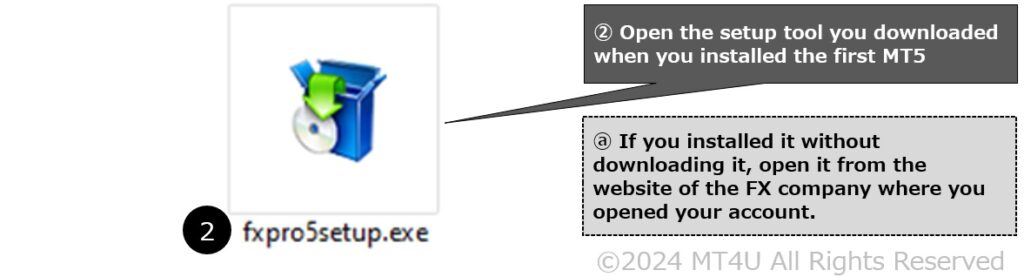
![Click the [Settings] button in the installer](https://free-ea.com/wp-content/uploads/2024/05/2MT5s_EN_03-1024x449.jpg)
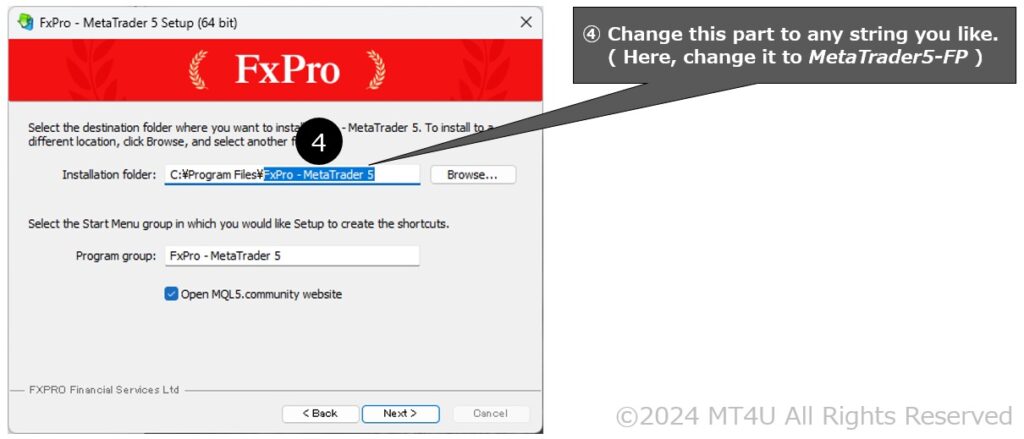
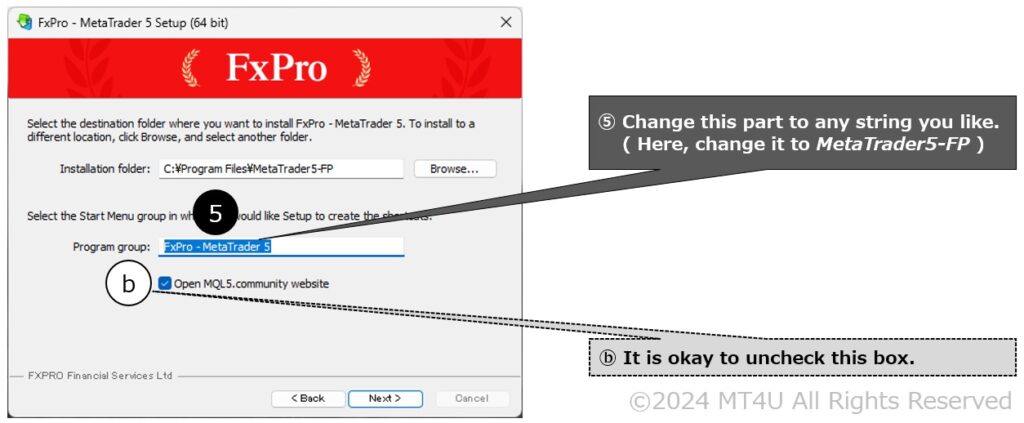
![Click [Next] to continue with the installation](https://free-ea.com/wp-content/uploads/2024/05/2MT5s_EN_06-1024x432.jpg)
![Click [ Finish ] to launch the newly installed MT5. Installing multiple MT5 platforms comleted.](https://free-ea.com/wp-content/uploads/2024/05/2MT5s_EN_07-1024x441.jpg)
By repeating this procedure, you can install as many MT5 apps from the same broker on one computer.
The following brokers offer free EAs. (Sponsored)